 Pocket Cavalry
Hold the button.
Here comes the cavalry.
One long press on your iPhone's Action Button sends your live location to the family who'd drop everything for you. Even from a locked phone, deep in a pocket.

How it works
Three moments, about ten seconds.
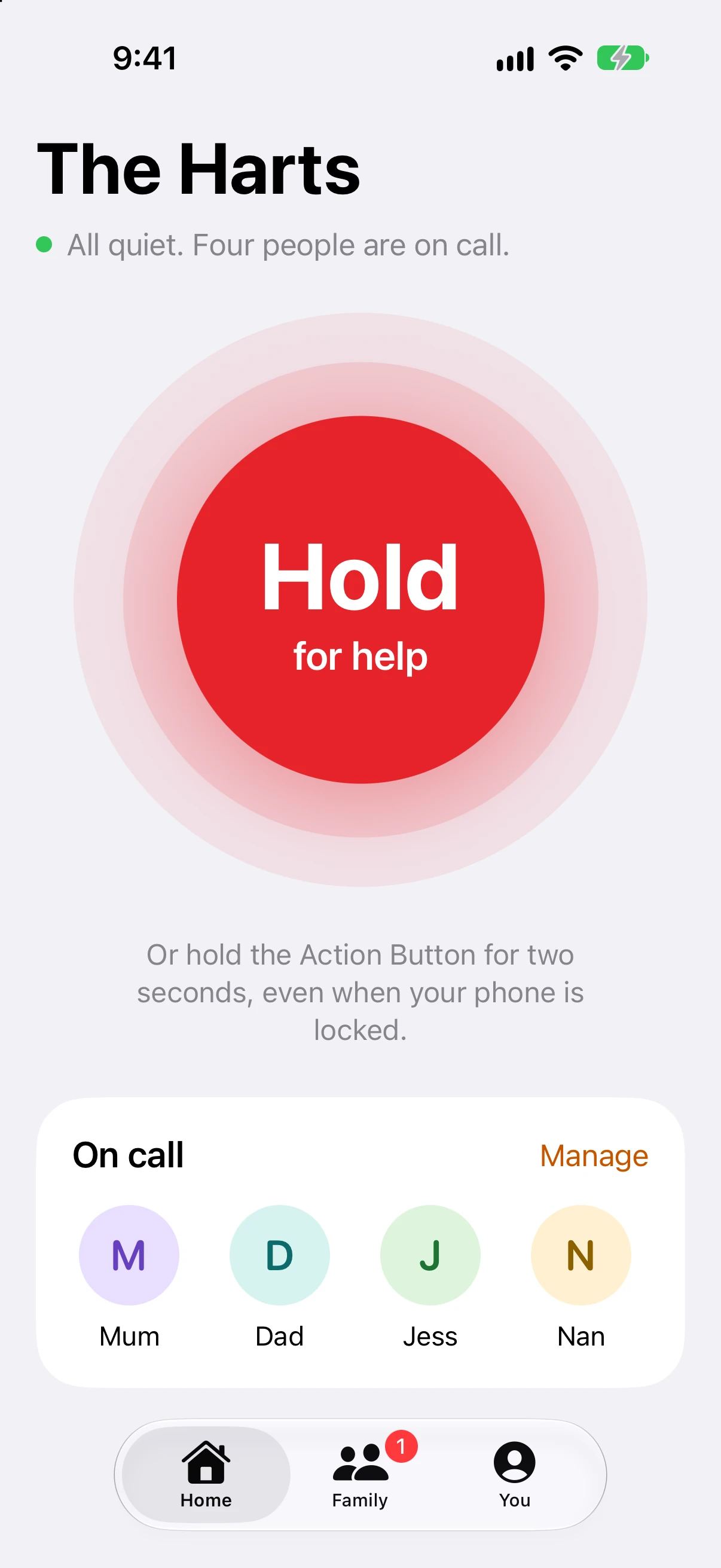
1
Hold the Action Button
Two seconds, no unlocking, no looking. It works from a pocket or a bag. Or hold the button in the app.
2
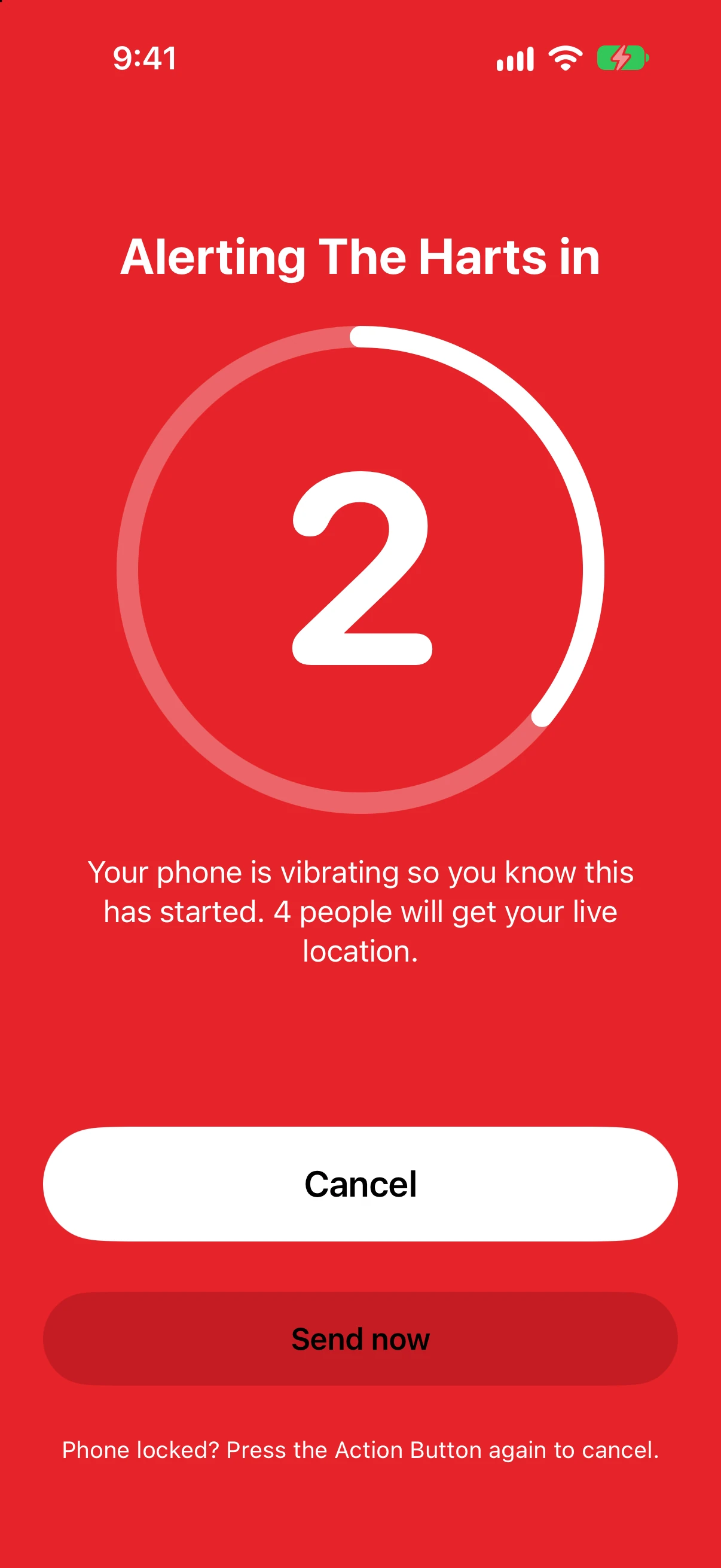
Five seconds to change your mind
Your phone buzzes so you know it's started. Press again to cancel a pocket bump.
3
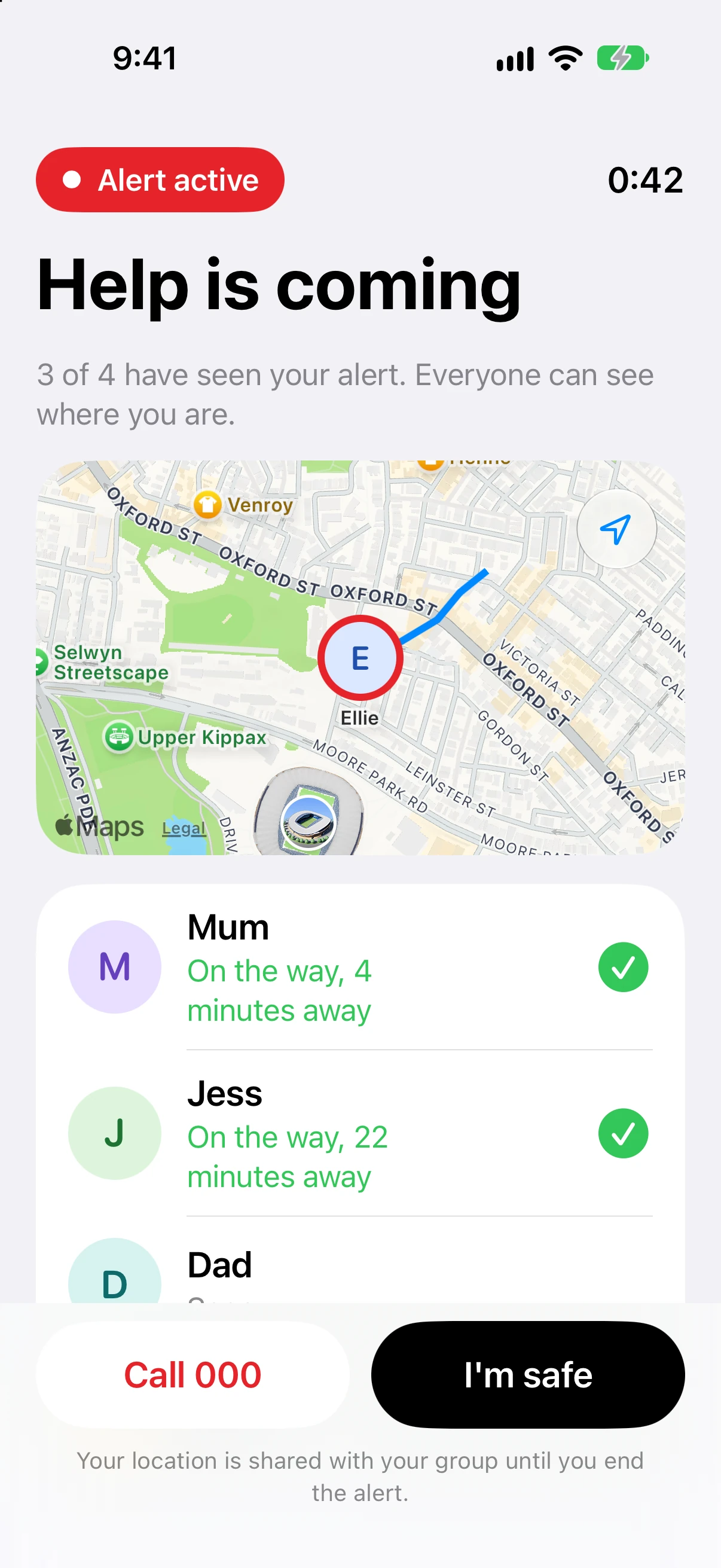
Watch help arrive
Your family sees where you are, live. You see who's coming and how far away they are.
Your people.
Not a call centre.
People who know you
Alerts go to the family and friends you choose. They're usually closest, and they know what to do.
They see exactly where
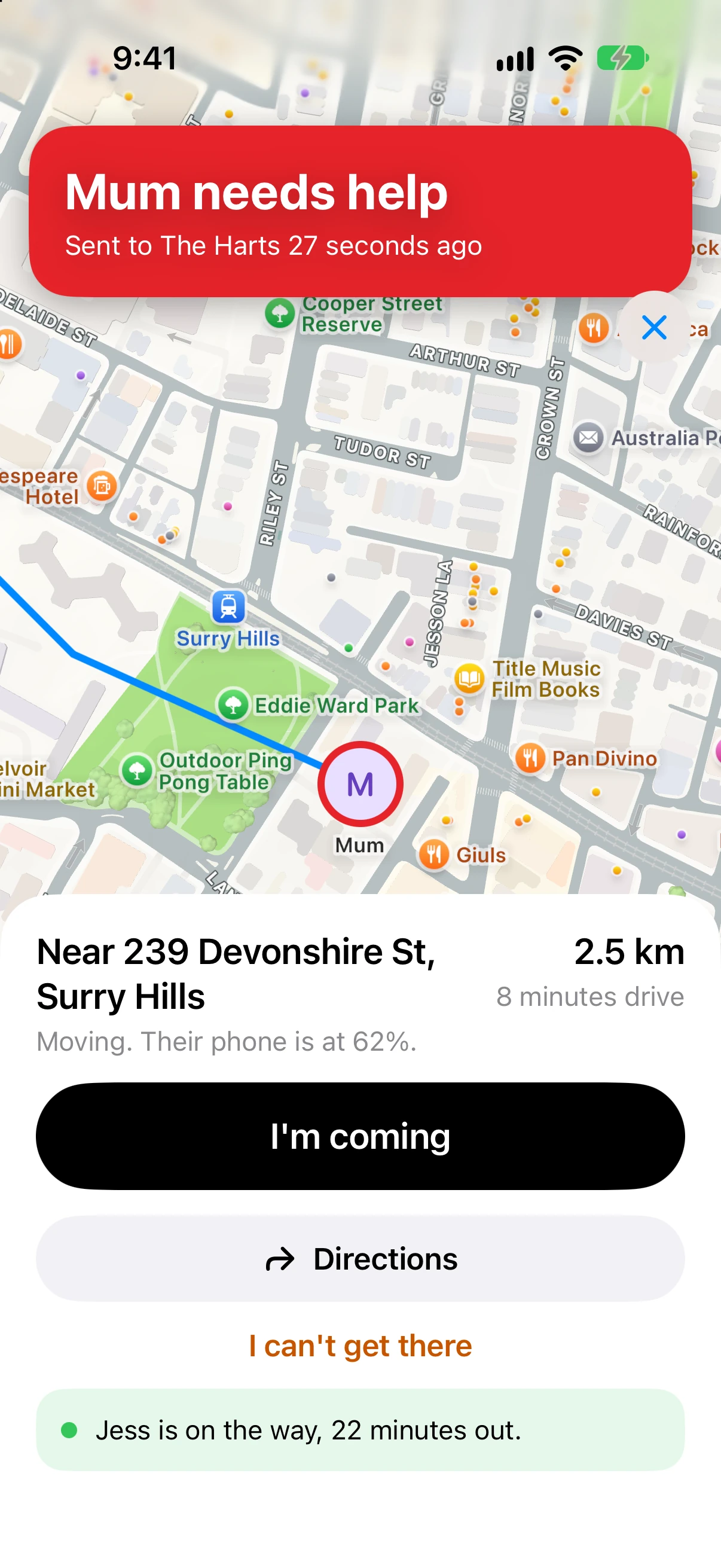
A live map, the nearest street, how far away you are and how long the drive is. Directions are one tap.
Only you can end it
Saying you're safe needs your PIN, so nobody can switch an alert off for you.
000 and 911 one tap away
Pocket Cavalry doesn't replace emergency services. Every alert screen has a button to call them.
Apple Watch
The orange button
was made for this.
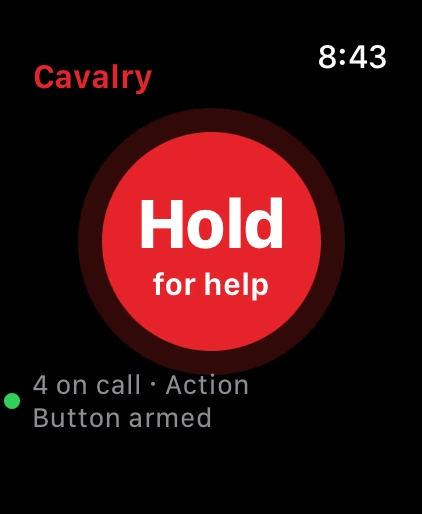
On Apple Watch Ultra, hold the Action Button. When someone in your family needs help, the alert taps your wrist with where they are and a button to say you're coming. With cellular, it works on its own, no iPhone needed.
Privacy
Your location stays yours.
Shared during alerts only
Family sees where you are while an alert is on. The rest of the time, nobody does. The trail is deleted a day after.
Only the people you pick
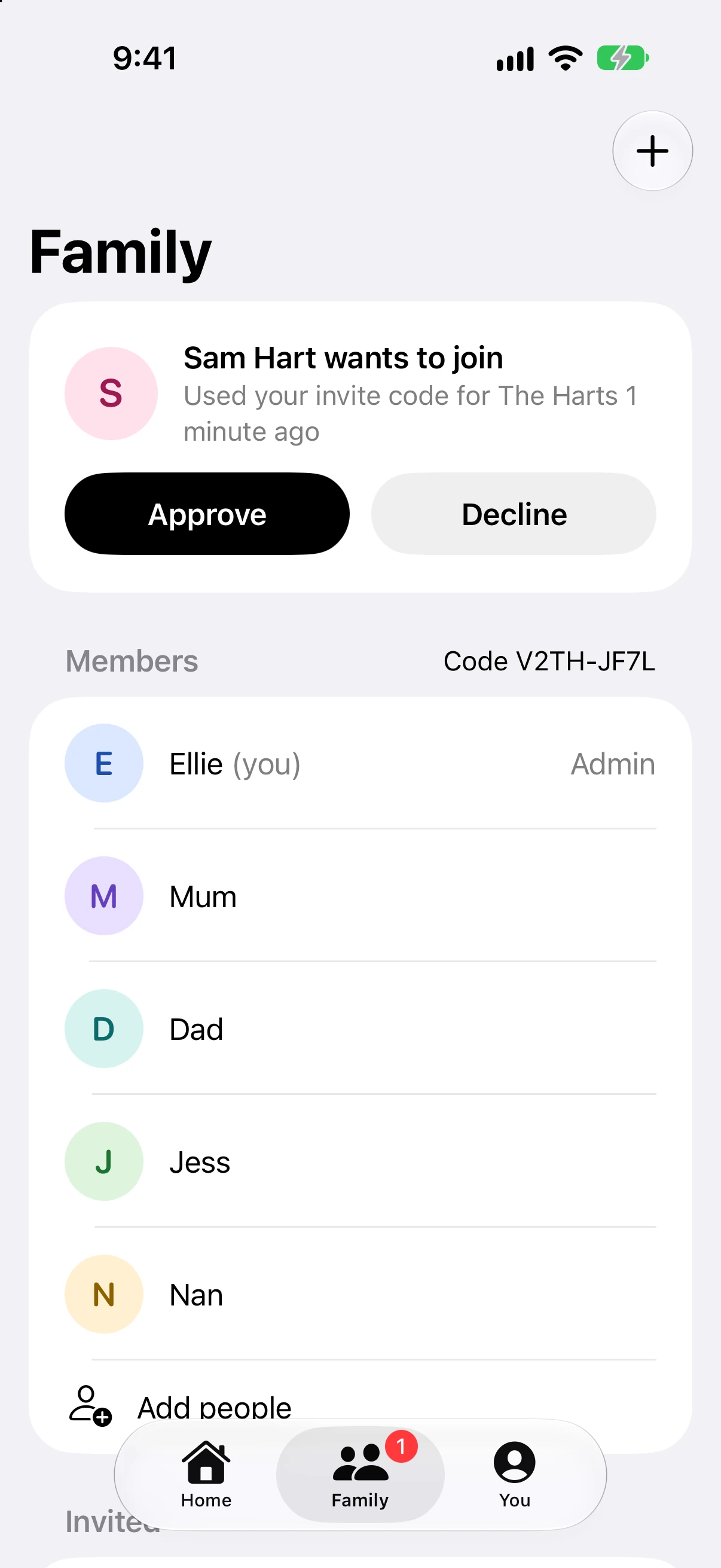
We save just the contacts you choose, never your whole address book. Anyone using your code needs an admin's OK.
Never sold, never for ads
Delete your account in the app whenever you like, and your data goes with it.
Questions
Anything else? Support has setup help.
Does it work when my phone is locked?+
Yes. Set your Action Button to Call the Cavalry and hold it for two seconds; it runs without unlocking. Your iPhone needs to have been unlocked once since it was turned on, and Location needs to be set to Always so a locked phone can send where you are.
Which iPhones have an Action Button?+
iPhone 15 Pro and every iPhone since. On older iPhones, use Back Tap (a double tap on the back of the phone) or the big Hold button in the app.
Does it call 000 or 911?+
No. Pocket Cavalry alerts the people you choose. Every alert screen has a one-tap button to call 000 or 911 yourself, and if you're in danger you should.
What if I press it by accident?+
Nothing goes out for five seconds. Your phone buzzes, and pressing again (or tapping Cancel) stops it before anyone is told.
Who can see my location?+
Only the people in your group, and only while your alert is on. It stops the moment you say you're safe, and ending an alert needs your PIN so nobody can end it for you.
How much does it cost?+
Pocket Cavalry is free for your whole family at launch.
Set it up tonight.
Hope you never need it.
Free for the whole family. Launching in Australia and the United States.